Engineering
RESTful API
Mozzila Docs
Mar 202510 min read

RESTful API
Understanding HTTP status codes
Mozzila Docs (opens in a new tab)
Creating a API connected MongoDB using Express
- Importing modules, like express, mongoose, body-parser
const express = require("express");
const mongoose = require("mongoose");
const bodyParser = require("body-parser");- Establishing Connection with MongoDB using
mongoose
mongoose
  .connect("mongodb://127.0.0.1:27017/productStore", {
    useNewUrlParser: true,
    useUnifiedTopology: true,
  })
  .then(() => {
    console.log("Connected to MongoDB successfully");
  })
  .catch((error) => {
    console.log(error);
});- Creating App reference using Express
const app = expresss();- Using bodyParser in app to avoid this bug,

app.use(bodyParser.urlencoded({ extended: false }));- Using express.json() in app to avoid this bug, where only "success" shows up, and it misses "name", "email", "
password" from
response.json().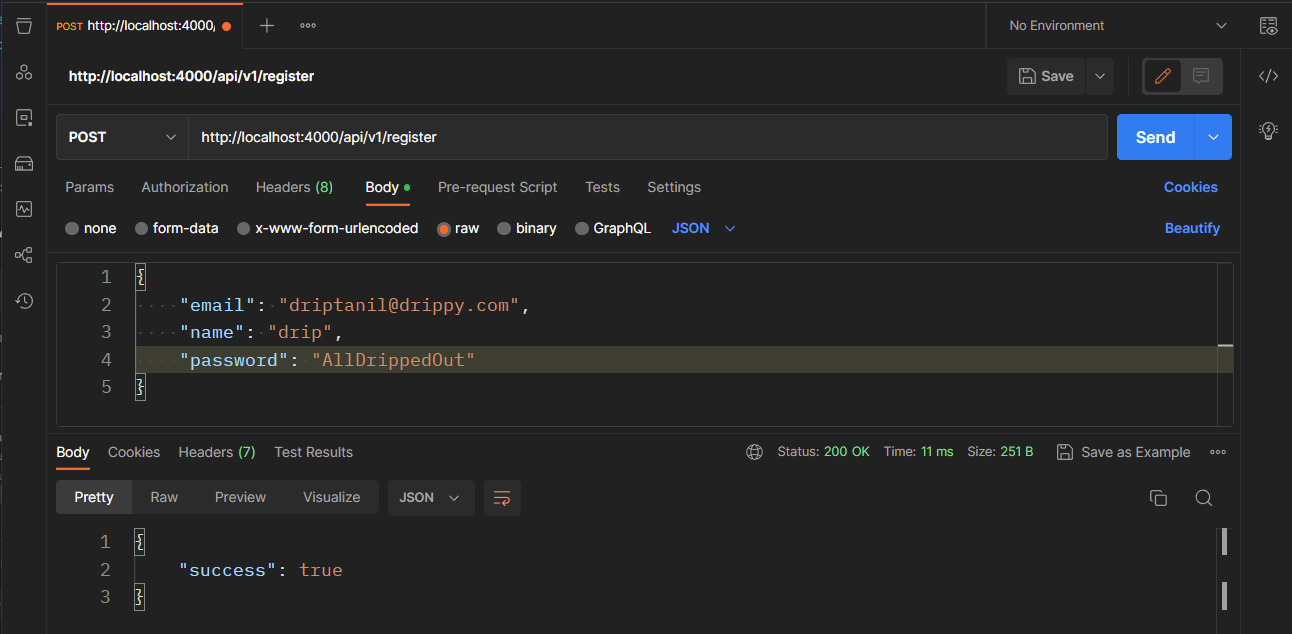
app.use(express.json());- Defining port and host,
const PORT = 4000;
const HOST = "localhost";- Defining a schema of object and creating a new model
const productSchema = new mongoose.Schema({
  name: String,
  description: String,
  price: Number,
});

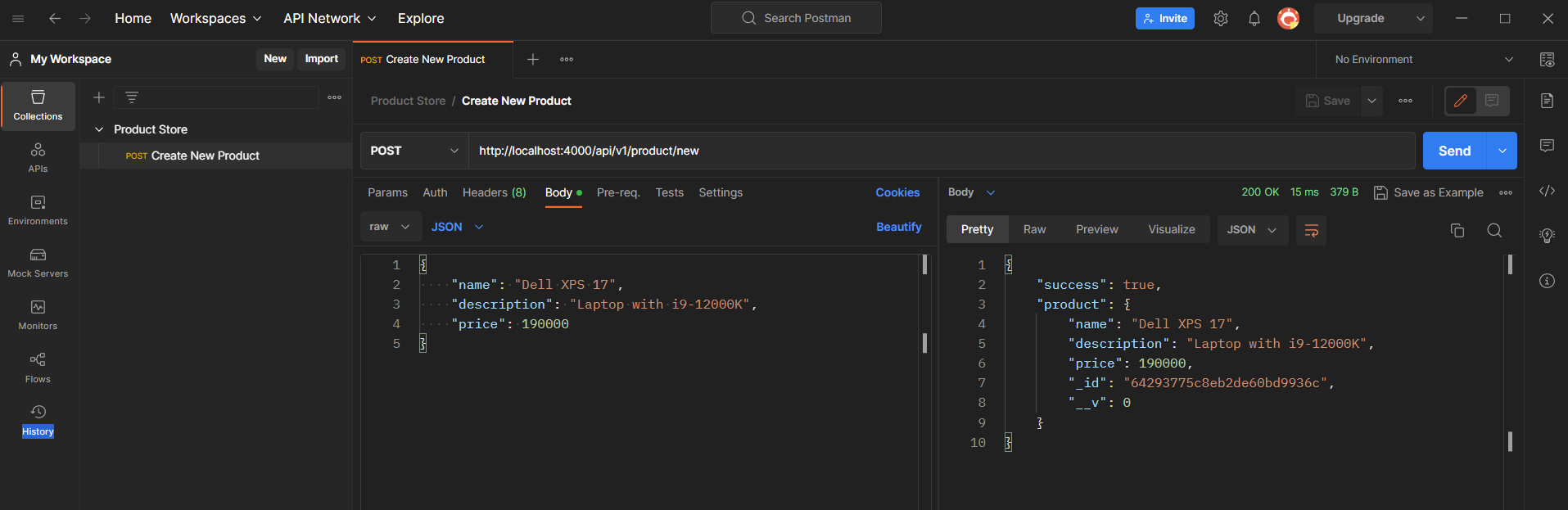
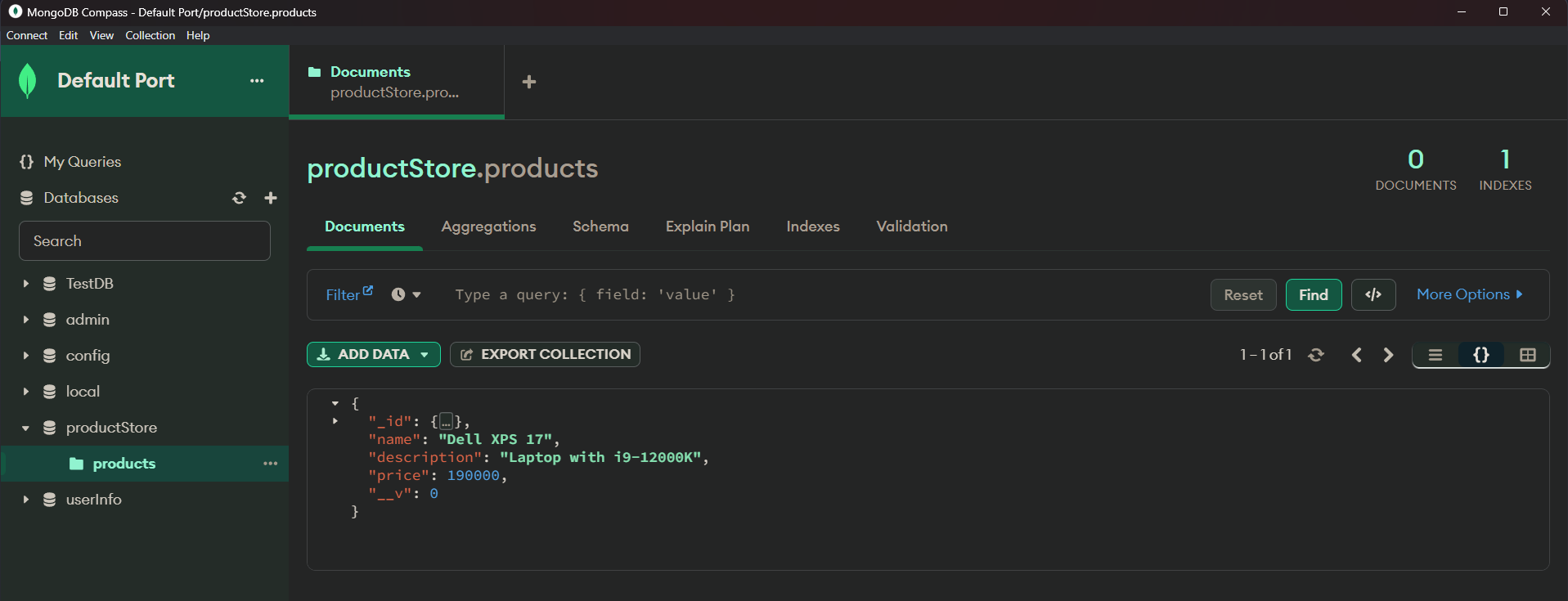
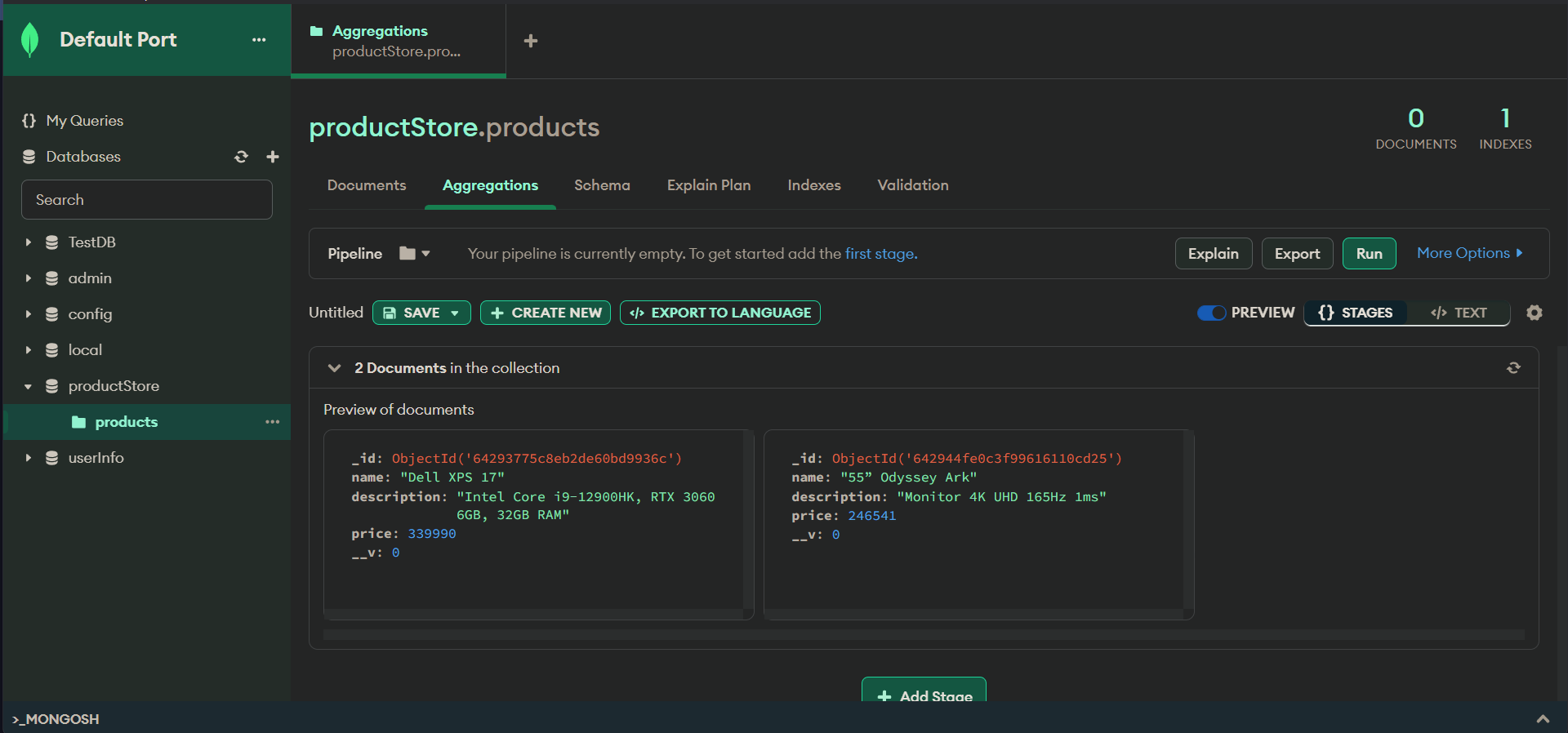
const Product = new mongoose.model("Product", productSchema);- Reading the path to receive data, from POST() to create new product
app.post("/api/v1/product/new", async (request, response) => {
  const product = await Product.create(request.body);

  response.status(201).json({
    success: true,
    product,
  });
});- Setting up the web server, to listen to host:port
app.listen(PORT, HOST, () => {
  console.log(`Server is working: http://${HOST}:${PORT}`);
});
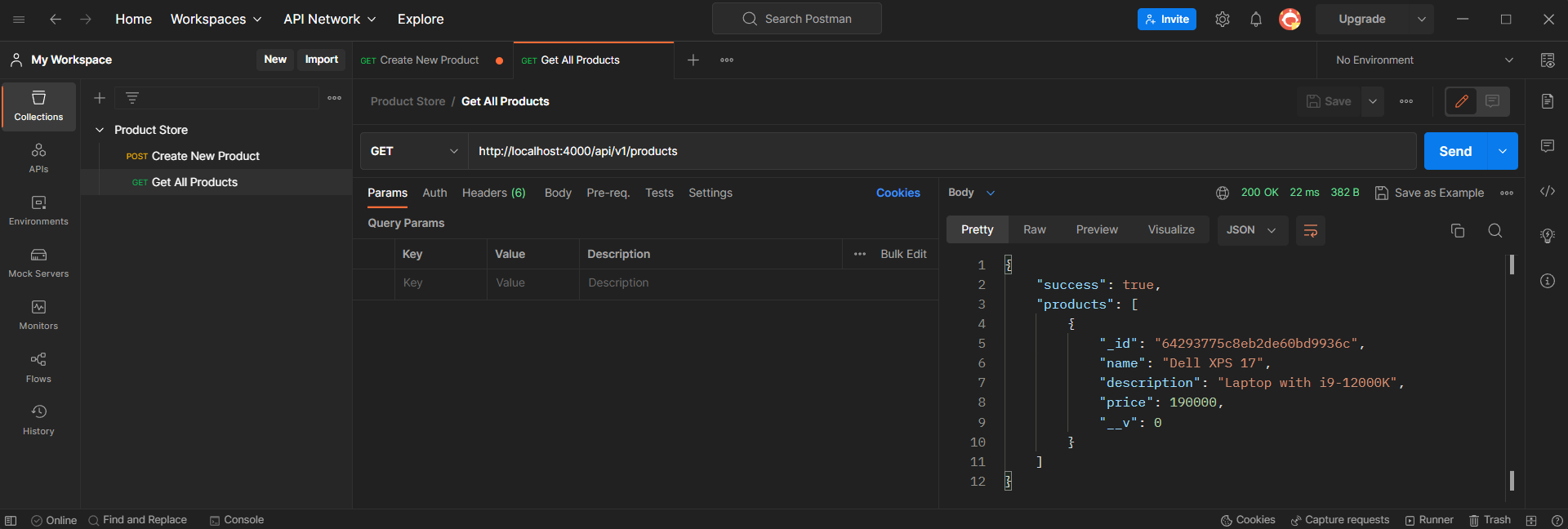
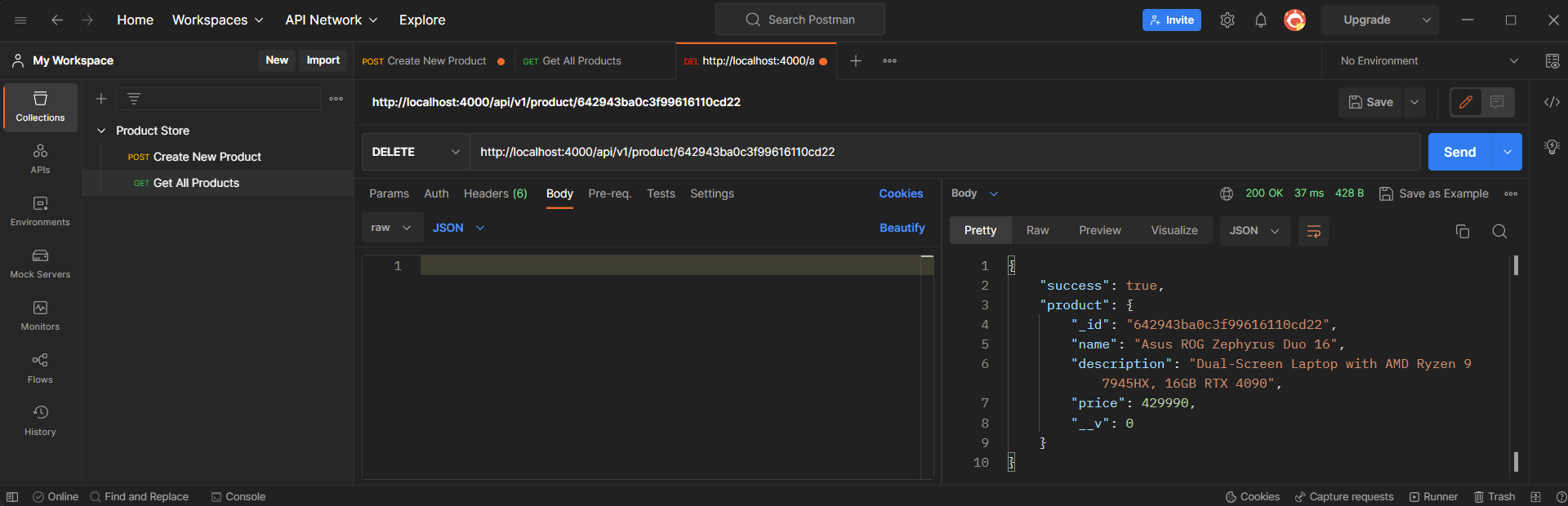
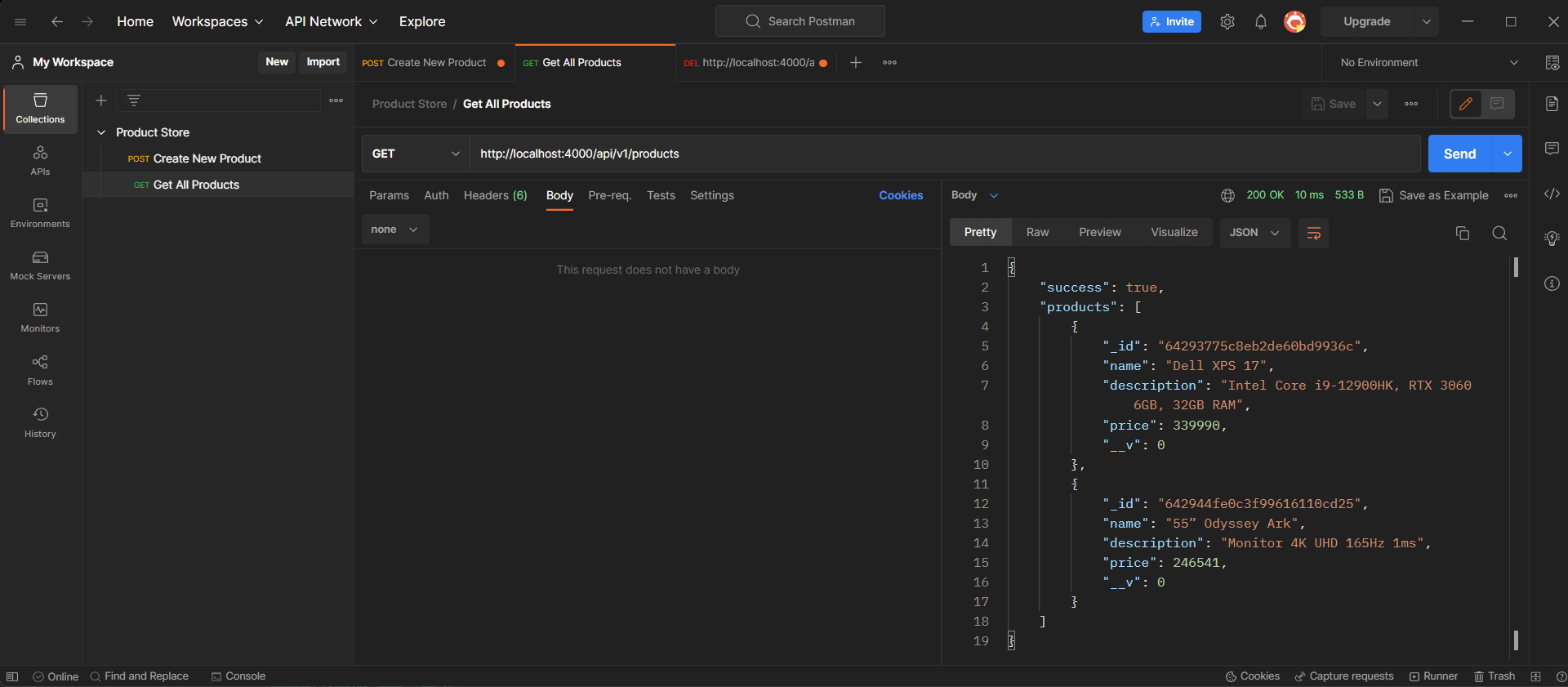
- Get all products, from
/api/v1/products,
app.get("/api/v1/products", async (request, response) => {
  const products = await Product.find();

  response.status(200).json({ success: true, products });
});
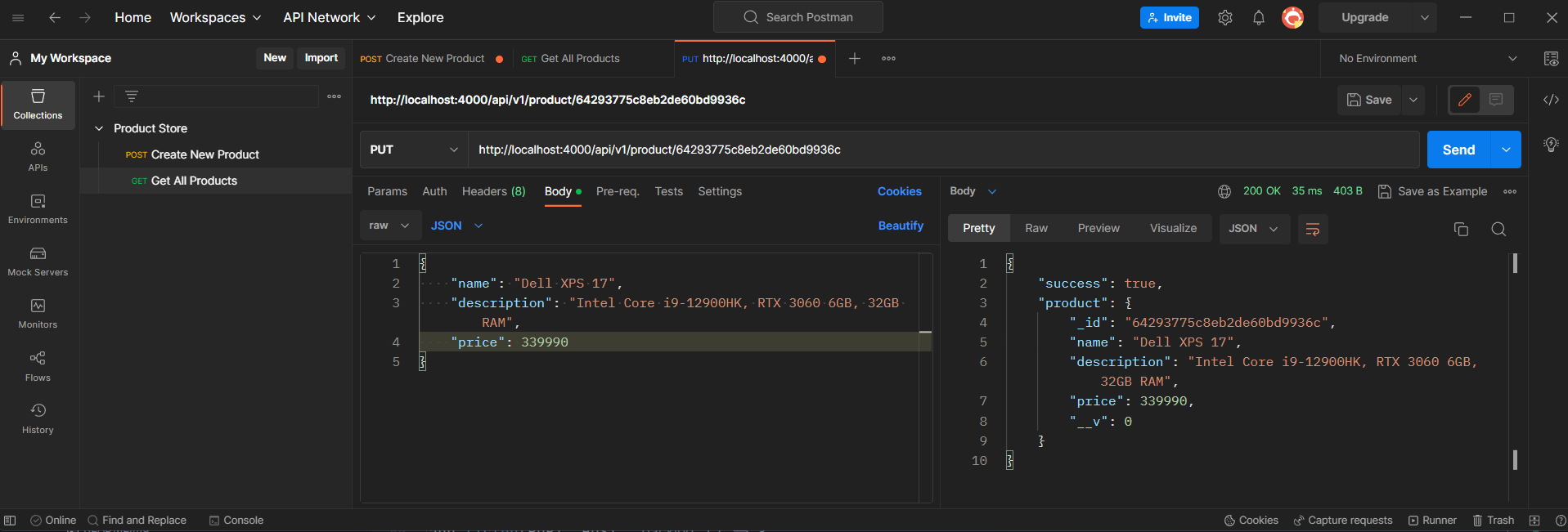
- Modify product detail usiing product id from
/api/v1/product/:id
app.put("/api/v1/product/:id", async (request, response) => {
  let product = await Product.findById(request.params.id);

  product = await Product.findByIdAndUpdate(request.params.id, request.body, {
    new: true,
    useFindAndModify: true,
    runValidators: true,
  });

  response.status(200).json({
    success: true,
    product,
  });
});
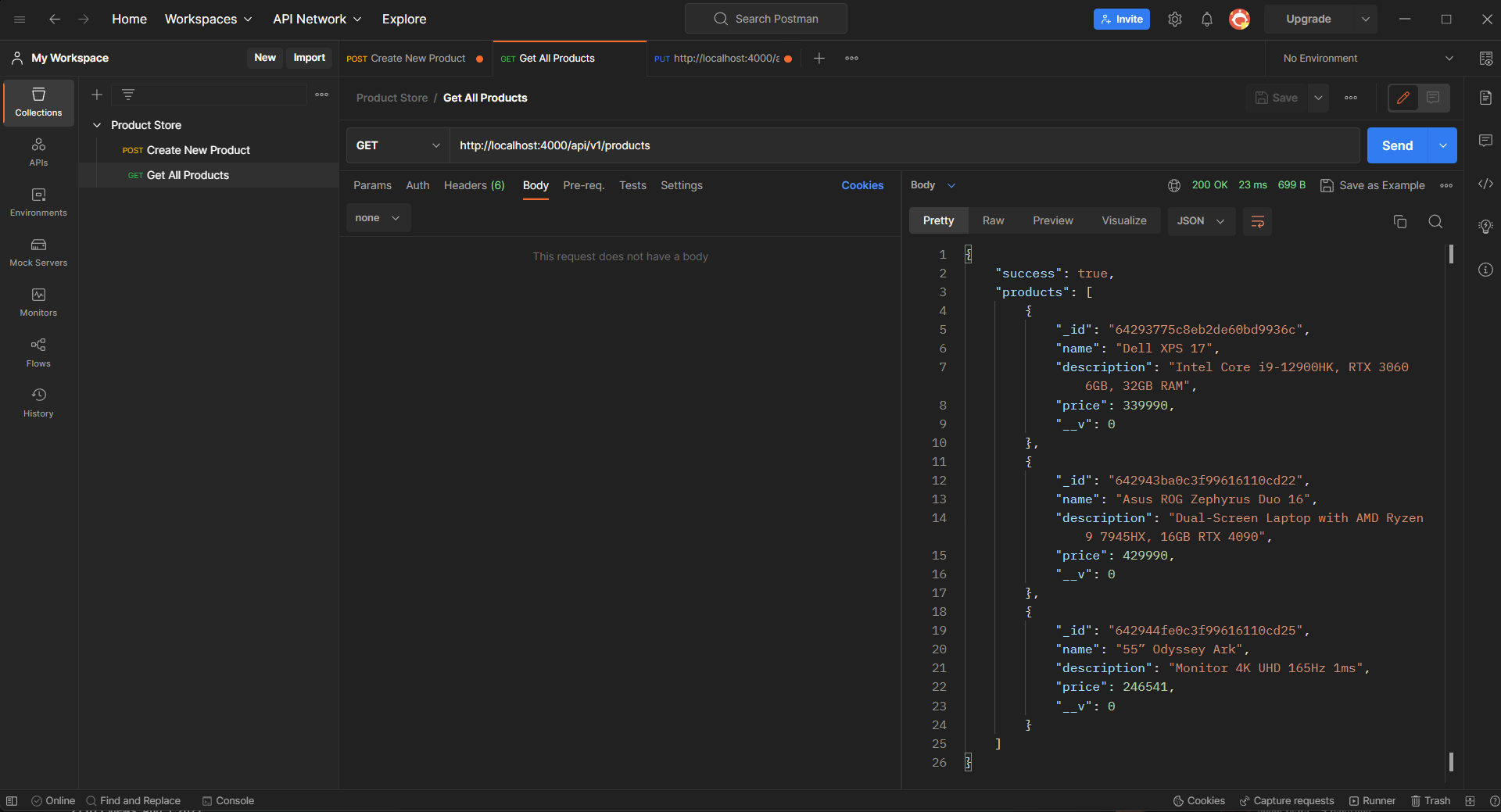
- Delete product detail usiing product id from
/api/v1/product/:id
app.delete("/api/v1/product/:id", async (request, response) => {
  const product = await Product.findById(request.params.id);

  if (!product) {
    return response.status(500).json({
      success: false,
      message: "Product not found",
    });
  }
  await product.deleteOne();

  response.status(200).json({
    success: true,
    product,
  });
});
Adding Backend Validation using YUP
-
Installing
yuppackage for validation usingnpm install yup. -
Defining the schema to product,
/validation/validateProduct.js,
const yup = require("yup");

const productSchema = yup.object({
  name: yup.string().required().min(5).max(30),
  description: yup.string().min(10).max(100).required(),
  price: yup.number().required().max(10),
});

module.exports = productSchema;- Creating a middleware that takes schema as parameter, to validate the request with the schema,
/middleware/validateMiddleWare.js
const validation = (schema) => async (request, response, next) => {
  const body = request.body;
  try {
    await schema.validate(body);
    next(); // next() is used to keep moving forward
  } catch (error) {
    return response.status(422).json({ error: error });
  }
};

module.exports = validation;- Importing
validation()andschemainapp.js, and in Rest API functions call, addvalidation(schema)as parameter.
const validation = require("./middleware/validateMiddleware");
const validateSchema = require("./validation/validateProduct");

app.post(
  "/api/v1/product/new",
  validation(validateSchema),
  async (request, response) => {
    const product = await Product.create(request.body);
    response.status(201).json({
      success: true,
      product,
    });
  }
);