
AI
Multiple Input Graph 🔢
1. Define a more complex AgentState
Mar 202510 min read
Multiple Input Graph 🔢
Objectives ✅
- Define a more complex AgentState
- Create a processing node that performs operations on list data
- Set up a LangGraph that processes and outputs computed results.
- Invoke the graph with structured inputs and retrieve outputs
from typing import List, TypedDict

from langgraph.graph import StateGraph

class AgentState(TypedDict):
    values: List[int]
    name: str
    result: str
def process_values(state: AgentState) -> AgentState:
    """This function processes a list of values and returns their sum as a string."""

    total = sum(state['values'])
    state['result'] = f"The sum of values for {state['name']} is {total}."
    return state
graph = StateGraph(AgentState)
graph.add_node("processor", process_values)
# START
graph.set_entry_point("processor")
# END
graph.set_finish_point("processor")
app = graph.compile()result = app.invoke({"values": [1, 2, 3, 4, 5], "name": "Alice"})
result['result']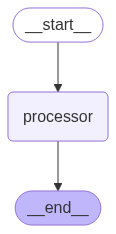
OUTPUT:

'The sum of values for Alice is 15.'