Express JS
Docs : https://expressjs.com/en/guide/routing.html


Express JS
Docs : https://expressjs.com/en/guide/routing.html (opens in a new tab)
-
Express is a node js web application framework that provides broad features for building web and mobile applications
-
It's a layer built on the top of the Node js that helps manage servers and routes.
-
Installing express module
╭─ npm install express
added 57 packages, and audited 58 packages in 3s
7 packages are looking for funding
run `npm fund` for details
found 0 vulnerabilitiesCreating a Express Web Server
index.jsfile
const express = require("express");

const PORT = 4000;
const HOST = "localhost";
const app = express();

app.listen(PORT, HOST, () => {
  console.log(`Server is working on https://${HOST}:${POST}`);
});- Localhost: 4000

Routing using Express
-
index.jsfileconst express = require("express"); const PORT = 4000; const HOST = "localhost"; const app = express(); app.get("/", (request, response) => { response.send("<h1 style='font-family: Arial'>Home Page</h1>"); }); app.get("/about", (request, response) => { response.send("<h1 style='font-family: Arial'>About Page</h1>"); }); app.get("*", (request, response) => { response.send( "<h1 style='font-family: Arial; color: lightcoral'>404 Page Not Found</h1>" ); }); app.listen(PORT, HOST, () => { console.log(`Server is working on https://${HOST}:${PORT}`); }); -
LocalHost : 4000



What is CRUD ?
-
CRUD application means that an application can perform Create, Read, Update, Delete operation in a database.
-
While using Express, we use
get(),post(),put(),delete()
Creating Registration page using Express
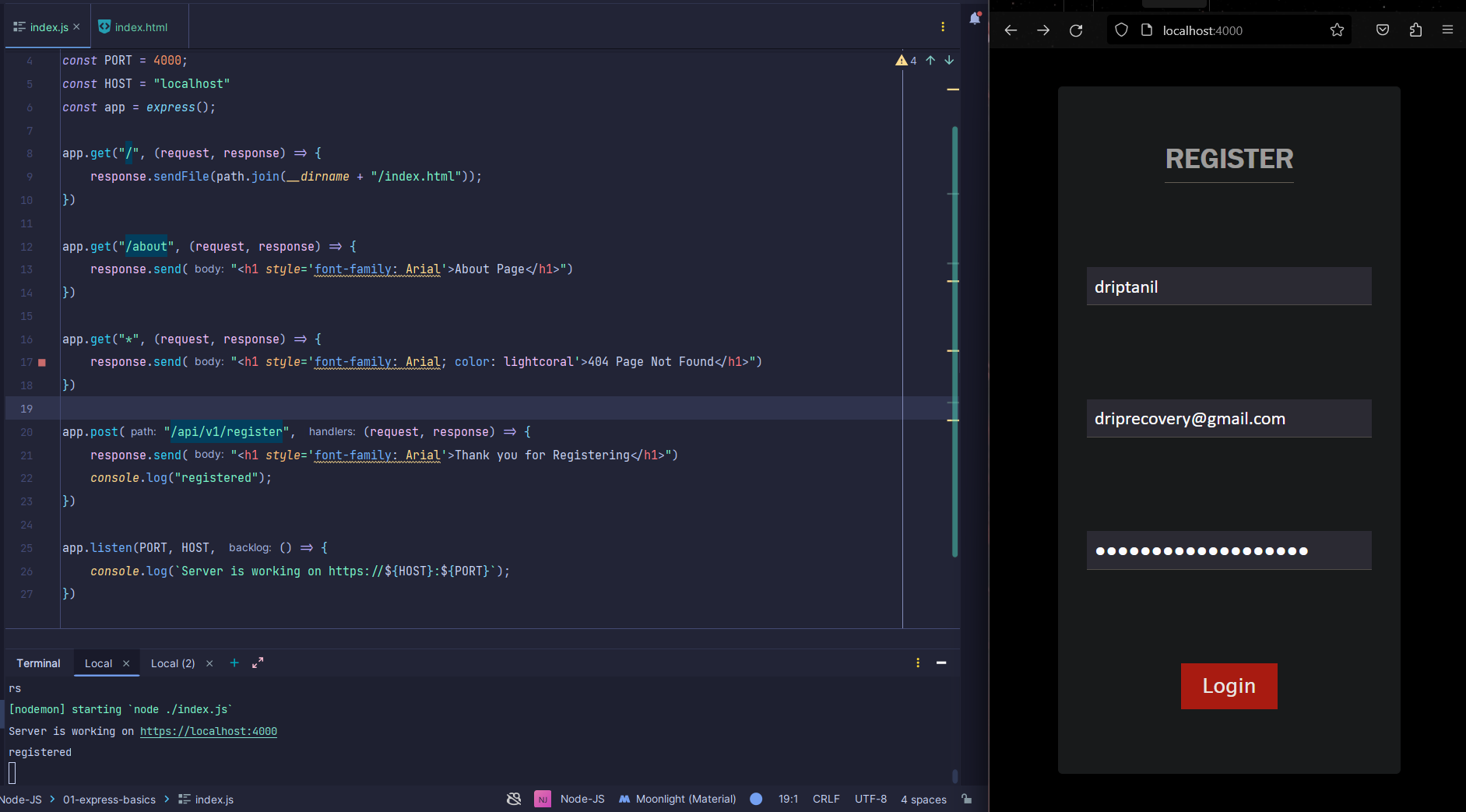

-
<form action="/api/v1/register" method="POST">inindex.html, this specifies on submittion of the form route to "/api/v1/register". -
app.post("/api/v1/register", () => {})is used to read data from route "/api/v1/register". -
index.jsfile
const express = require("express");
const path = require("path");

const PORT = 4000;
const HOST = "localhost";
const app = express();

app.get("/", (request, response) => {
  response.sendFile(path.join(__dirname + "/index.html"));
});

app.get("/about", (request, response) => {
  response.send("<h1 style='font-family: Arial'>About Page</h1>");
});

app.get("*", (request, response) => {
  response.send(
    "<h1 style='font-family: Arial; color: lightcoral'>404 Page Not Found</h1>"
  );
});

app.post("/api/v1/register", (request, response) => {
  response.send(
    "<h1 style='font-family: Arial'>Thank you for Registering</h1>"
  );
  console.log("registered");
});

app.listen(PORT, HOST, () => {
  console.log(`Server is working on https://${HOST}:${PORT}`);
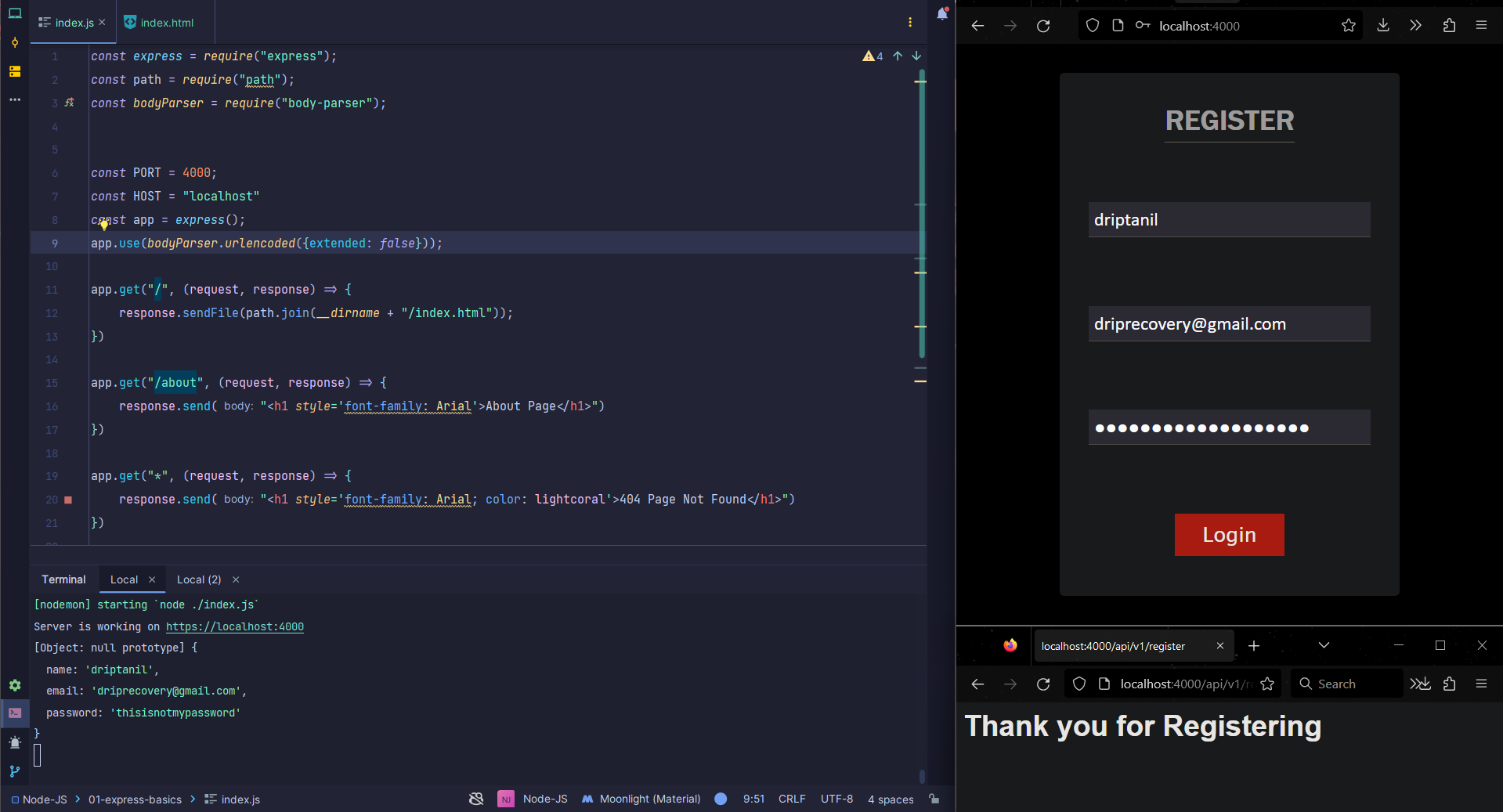
});console.log(request.body)returnsUNDEFINEDin server terminal.

- to fix this issue, we need to install body-parser
╭─ npm install body-parser
added 2 packages, changed 2 packages, and audited 60 packages in 2s
7 packages are looking for funding
run `npm fund` for details
found 0 vulnerabilities-
import the body-parser module by
const bodyParser = require("body-parser"); -
app.use(bodyParser.urlencoded({extended: false}));toindex.js
Creating an API using Express
-
REST API is a set of functions that programmer can use to send requests and receive reponses using the HTTP protocol methods such as GET and POST.
-
To test API, we are using Postman (opens in a new tab)
-
api.jsfileconst express = require("express"); const bodyParser = require("body-parser"); const PORT = 4000; const HOST = "localhost" const app = express(); app.use(bodyParser.urlencoded({extended: false})); app.get("/api/v1/userdata", (request, response) => { response.json({ name: "driptanil", email: 'driprecovery@gmail.com', password: "thisisnotmypassword", }) }) app.get("*", (request, response) => { response.send("<h1 style='font-family: Arial; color: lightcoral'>404 Page Not Found</h1>") }) app.listen(PORT, HOST, () => { console.log(`Server is working on https://${HOST}:${PORT}`); }) ```  -
api.jsfile addingapp.post()app.post("/api/v1/register", (request, response) => { const userName = request.body.name; const userEmail = request.body.email; const userPassword = request.body.password; response.json({ success: true, name: userName, email: userEmail, password: userPassword, }) }) ```  -
Note: only "success" shows up, and it misses "name", "email", "password" from
response.json(). -
To fix this issue, add
app.use(express.json())toapi.js,const express = require("express"); const bodyParser = require("body-parser"); const { response } = require("express"); const PORT = 4000; const HOST = "localhost"; const app = express(); app.use(bodyParser.urlencoded({ extended: false })); app.use(express.json()); app.get("/api/v1/userdata", (request, response) => { response.json({ name: "driptanil", email: "driprecovery@gmail.com", password: "thisisnotmypassword", }); }); app.get("*", (request, response) => { response.send( "<h1 style='font-family: Arial; color: lightcoral'>404 Page Not Found</h1>" ); }); app.post("/api/v1/register", (request, response) => { const userName = request.body.name; const userEmail = request.body.email; const userPassword = request.body.password; response.json({ success: true, name: userName, email: userEmail, password: userPassword, }); }); app.listen(PORT, HOST, () => { console.log(`Server is working on https://${HOST}:${PORT}`); });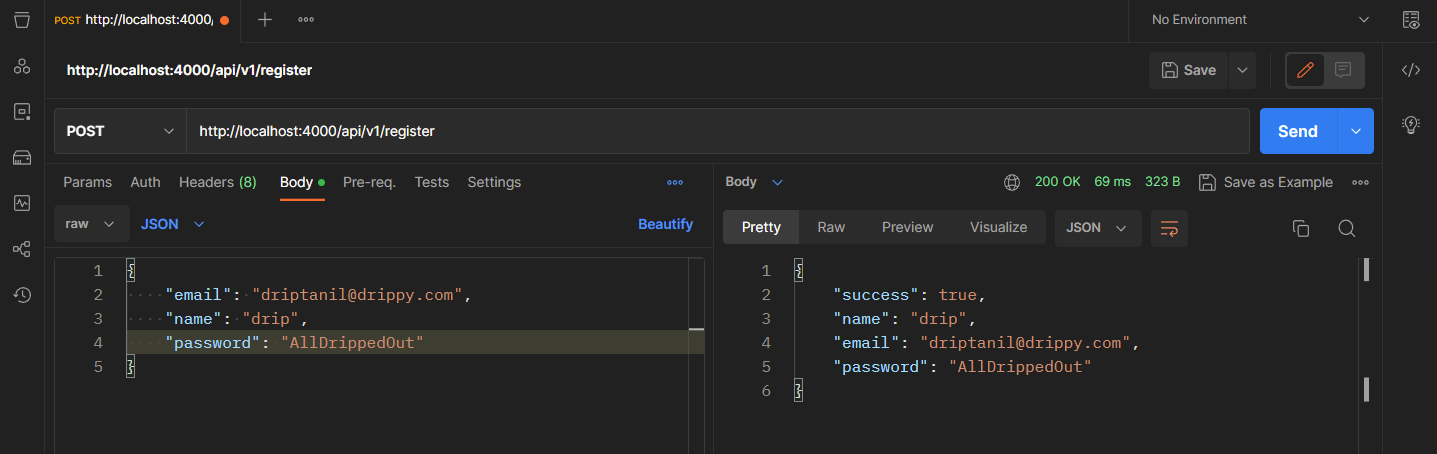
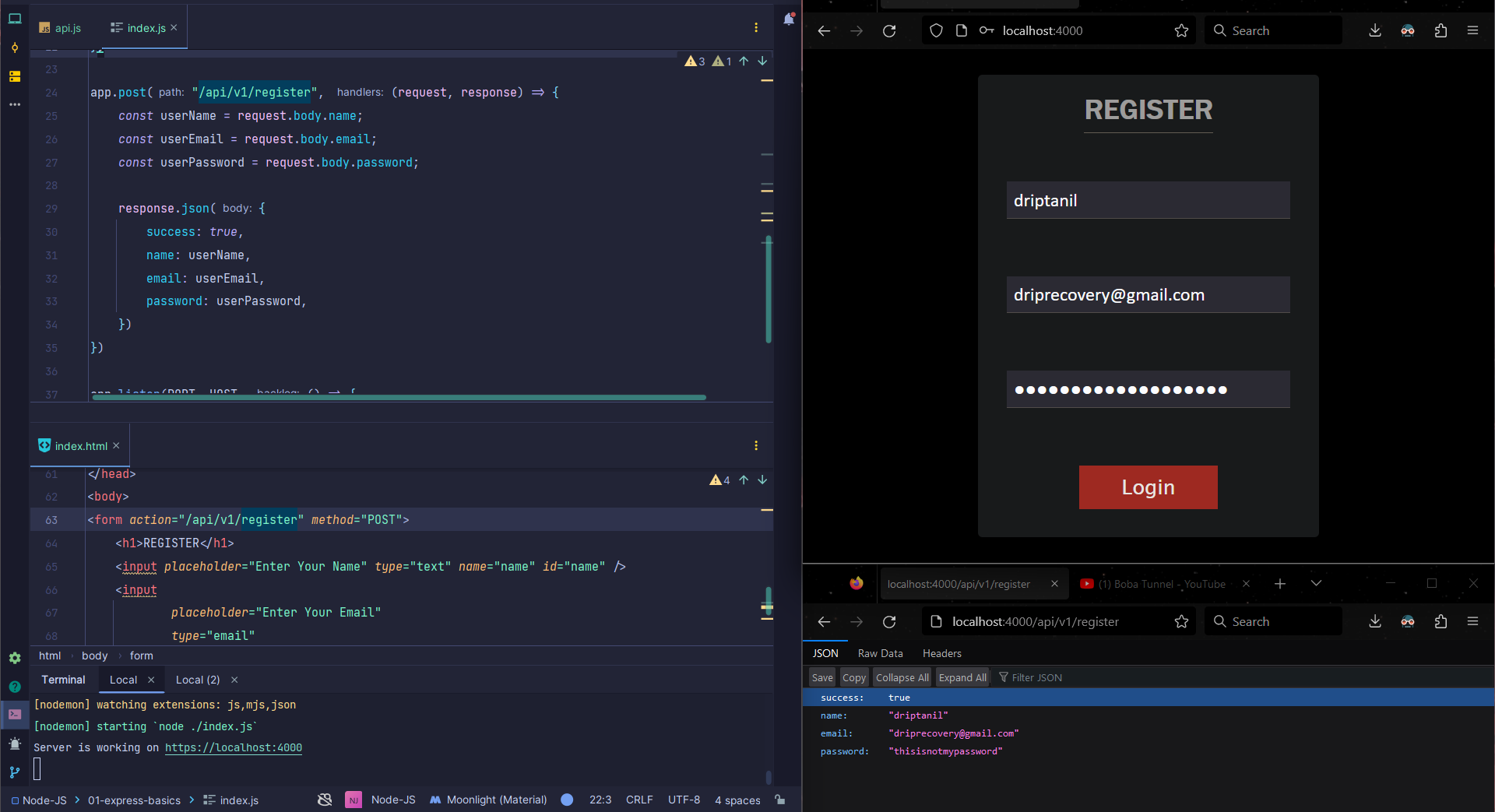
Intrgrating API with the Registration Page
- change form action to "/api/v1/register" in
index.htmlby<form action="/api/v1/register" method="POST">
Organizing files
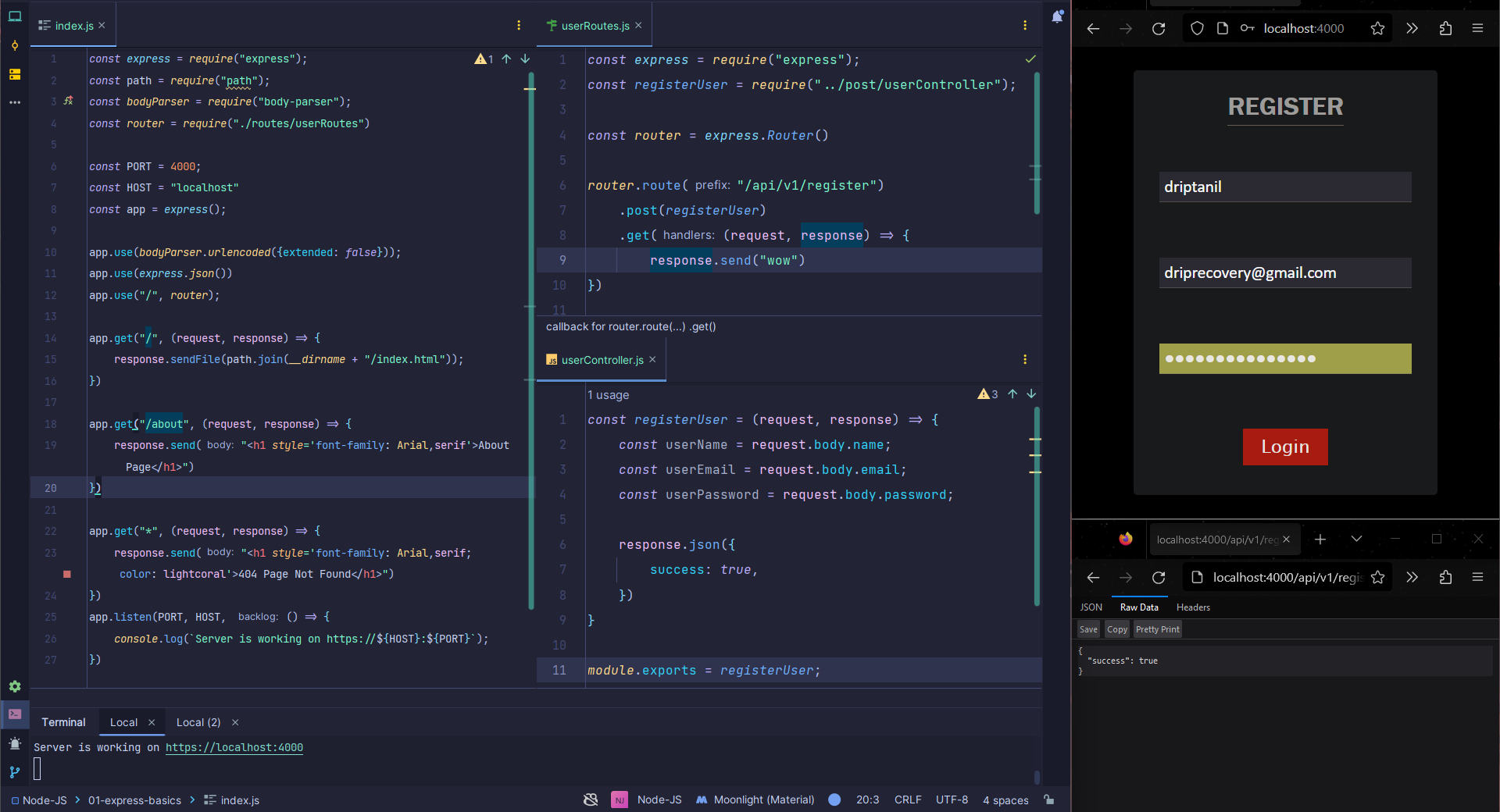
-
In
post/userController.js, the post function is defined. -
In
routes/userRoutes.js,- the api routes are defined, and the post function
registerUser()is called. - importing
expressbyconst express = require("express") - defining router by calling
express.Router()method
- the api routes are defined, and the post function
-
In
index.js,- importing
routefrom./routes/userRoutes.js, byconst router = require("./routes/userRoutes"); - adding
app.use("/", router);
- importing